Honey, I've Shrunk the Supercomputer!
DGX Spark finally makes it out in the wild

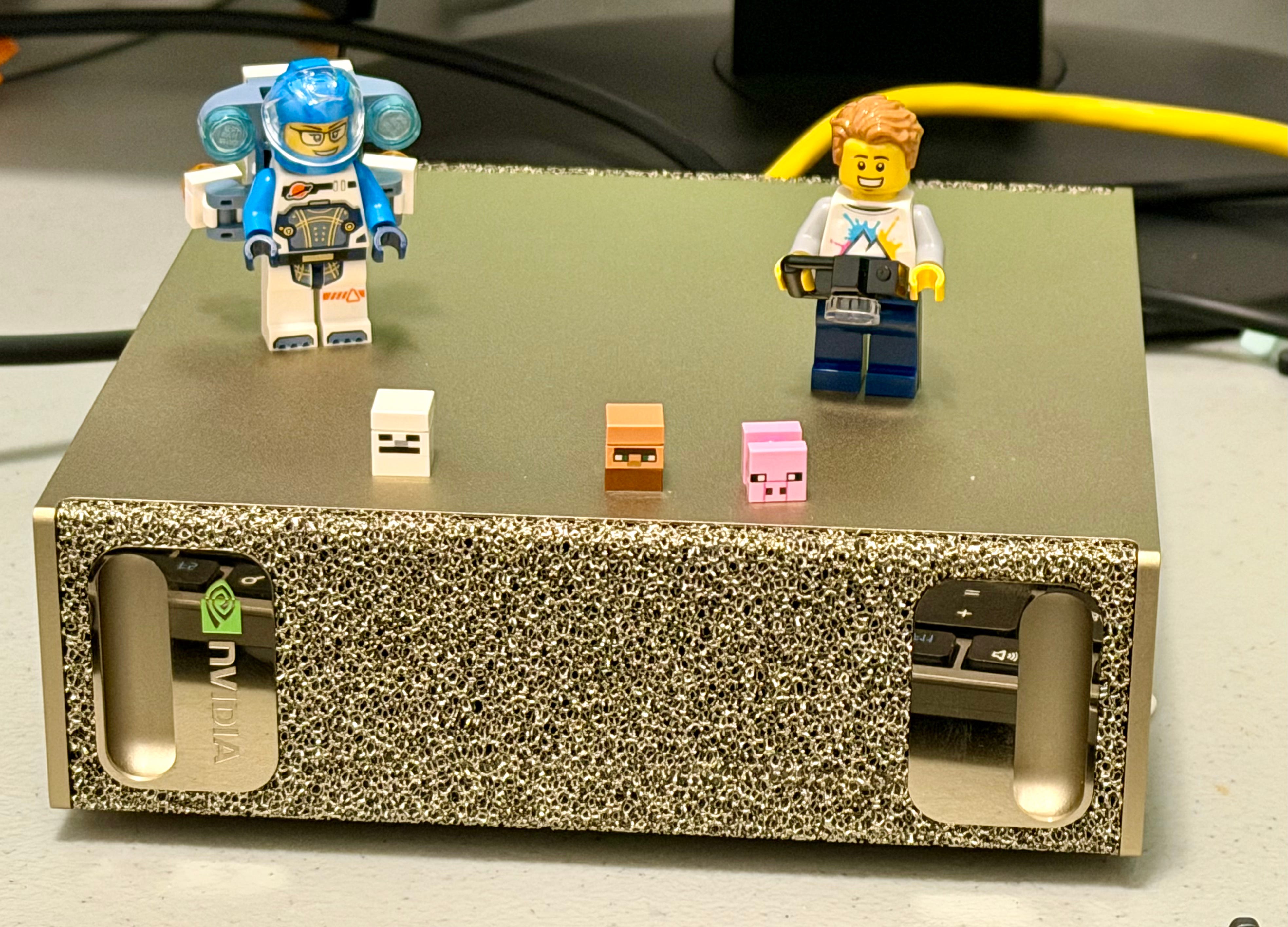
When I started working at Nvidia back at the end of 2019, I was really excited about getting my hands on all the cool ML hardware. I was hoping I’d be given a beefy workstation for local development, something I was really keen on, especially for all the Kaggle competitions I was planning on competing in. My hopes were along the lines of a dual Titan RTX, my top beefy workstation. To my great surprise and delight, I was given a DGX Station V100! It featured 4 V100s, with 32 GB of VRAM each, for a whopping 128 GB of GPU accelerated sweetness! It was a powerful - and heavy! - machine, and to this day I think it’s one of a few workstations that actually look good in a modern office.
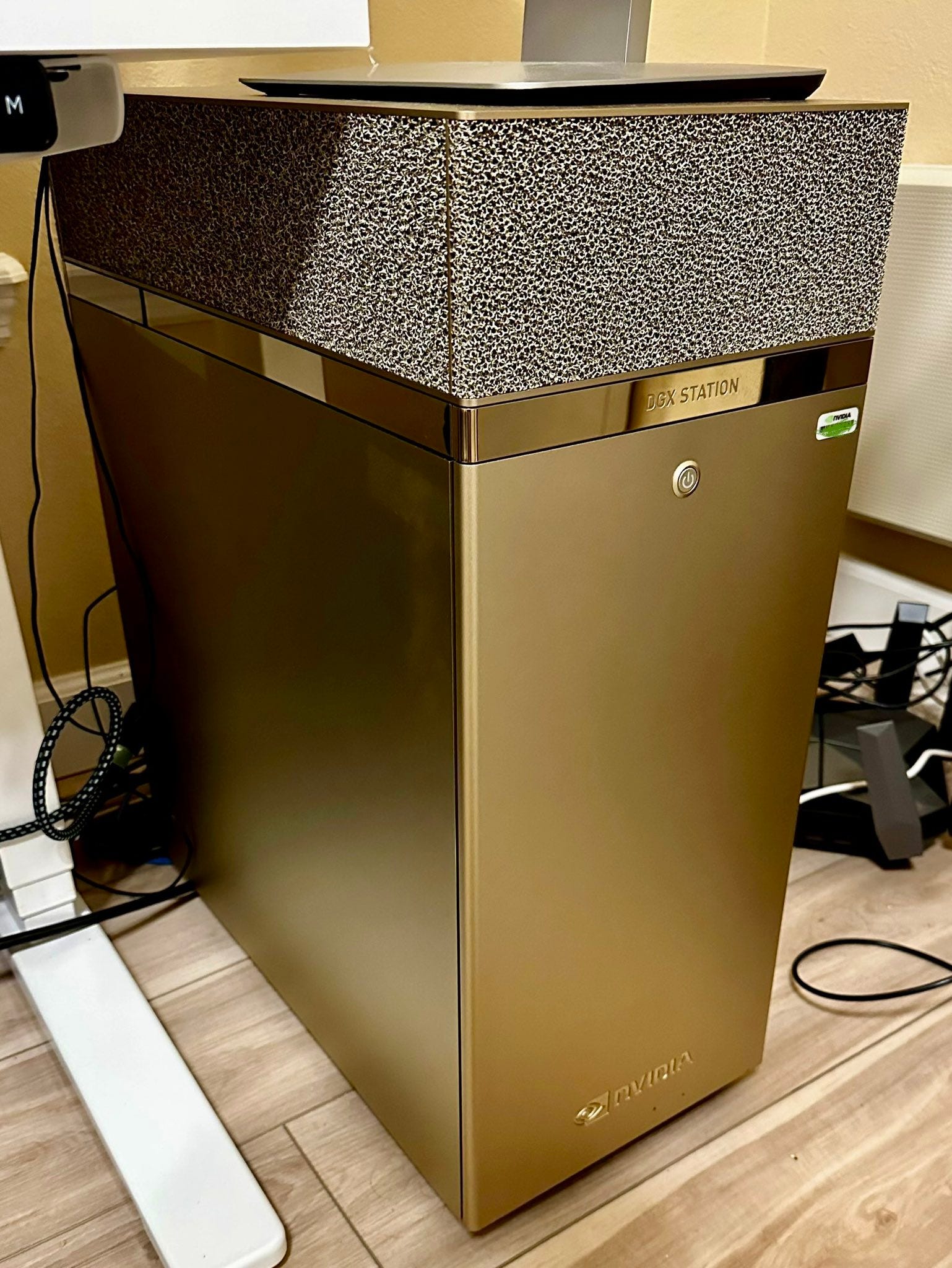
That computer had served me well. I used it on many Kaggle competitions, and even more of my own ML experimentation work. I was also privileged at one point to get a loaner successor workstation - DGX A100 with 320 GB of VRAM! - which to this day is the most amazing workstation I’ve ever directly worked on. It was pretty wild to have this amount of compute in your own small modest home office. But these were still very heavy, power-hungry, and extremely expensive machines. At its launch DGX V100 was retailing for around $50K, while the high end DGX A100 was around $150K. These were eye watering prices for individual workstations. You could buy a nice house in Gary, Indiana, for that kind of money! Most of them were sold to organizations and startups, but eventually Nvidia decided not to continue with that line of products.
Fast forward a few years, ChatGPT comes along, and with it the whole AI revolution. The demand for server compute explodes. Hyperscalers start hyperscaling, and never look back. Nvidia is buckling under the demand for server class GPUs, and seems to have to - at least temporarily - scale back on consumer GPUs. The successors to the 40xx series of GPUs - the 50xx series - only come out two years later. Furthermore, the scaling laws and the bitter lesson drive home the point that the era of small teams with modest compute achieving SOTA on the top ML tasks are on their deathbed, if not completely over. Or so it seemed.
Despite all the resources, world-class teams, snazzy apps, and objectively great SOTA models of the premier AI labs, small teams and researchers never stopped innovating. One of the top AI moments this year was DeepSeek’s release of R1, an open source LLM that can run on high-end consumer hardware, and still achieve performance comparable to OpenAI’s o1 reasoning model. And just like that the hope that we can have very strong local AI, independent of all the high end AI labs, was alive and well. Locally running models - and even local fine tuning! - were all of a sudden extremely viable options for many use cases. And this is the context within which we can understand Nvidia’s new offering - DGX Spark, which was just made generally available.
I have been fortunate to get an early access to DGX Spark a week ago, and have been testing it ever since. Nvidia marketing team has been very generous in having me get it, and even more generous with the time they put to answer all of my questions and potential issues I’ve had. Nonetheless, I want to iterate that the views in this post are entirely my own, and I am presenting them without any blemish.
First Impressions


I’ve seen the photos, I’ve seen DGX Spark in the palm of Jensen’s hand, but nothing can prepare you for how tiny this thing is! The box it came in - already pretty small - was primarily there to provide packaging protection for the main unit, the power supply, and a couple of cables ind instruction booklets. DGX Spark - measuring 150mm x 150mm x 50mm - is just tad wider and deeper than the latest Mac minis (127mm x 127mm x 50mm). It’s also not that much bigger than Jetson AGX Orin development kit (110mm x 110mm x 71mm), which prior to Spark was considered the defining Nvidia small supercomputer.
The aesthetics of DGX Spark are unmistakable those of the DGX line of products. It really felt like someone shrunk one of the DGX boxes into a miniature format. When I showed it to my family they immediately recognized the style.
Setup
As already mentioned, Spark comes with a small power brick and a USB C charging cable. Charging cable is plugged into a dedicated charging USB C port on the back of the machine, one of the four USB C ports. An ethernet and a HDMI ports round up the selection of ports at the back of the machine.
The OS for the machine is a special version of DGX OS, which in turn is based on Ubuntu. The setup was fairly smooth. I was worried at first that I would not be able to use the machine right away because I realized that I had no wired keyboards or mice laying around, but the setup easily recognized and paired my Bluetooth peripherals.
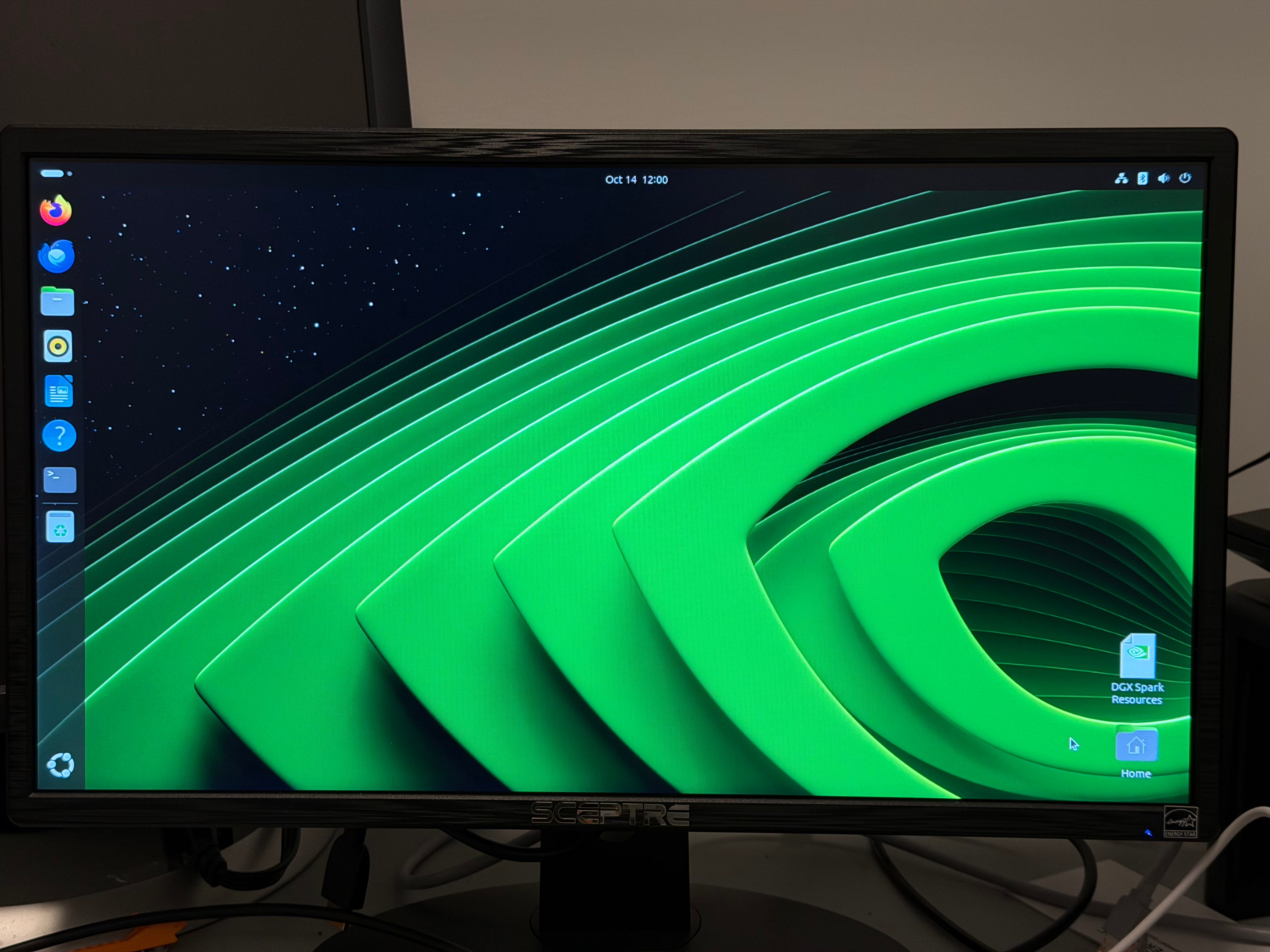
The desktop look is pretty standard Ubuntu look, with one giant “Nvidia Eye” wallpaper in the background.
Access and Connectivity
I set up DGX Spark as a standalone workstation, with its own monitor and peripherals. However, Spark is designed with the “laptop class” power users in mind, and it’s extremely easy to use it as an external compute for your laptop. If you are on the same network as Spark, then you can either SSH into it directly (SSH is enabled as default), or you can connect to it via NVIDIA Sync app, which is in many ways just a wrapper on SSH. The Sync app is available for Windows, MacOS, and Ubuntu/Debian. I’ve tested it for MacOS and Debian, with no issues.
It is possible to configure the system to work primarily as a desktop or a server, in a so called “headless” model. This configuration can be set up at the initial setup, or it can be changed later in system settings.
Hardware Specs
This is probably the most impressive and drool-inducing aspect of Spark: it comes with 128 GB of unified memory!!! That means that both GPU and CPU have access to the same memory pool, with no latency for moving data around. Spark also comes with ample storage, all 4 TB of it. This ought to be enough to keep several LLMs stored locally, as well as for oodles of fine-tuning data that one might need.
The processing power for Spark comes from Nvidia’s GB10 Grace Blackwell superchip. This is a chip that combines a 20-core ARM CPU with a 1 PetaFlop Blackwell GPU. This is the most flops per size that I’ve ever come across. It easily beats other such systems on the market right now. Compared to stand-alone GPUs, though, performance of GB10 is on par with, say, 5070 gaming GPUs, but keep in mind that one of these GPUs is bigger than this whole machine!
But it’s really the combination of the hardware and software that makes Spark such an appealing product.
Software Stack
One of the main selling point for DGX Spark is, of course, access to Nvida software stack, and CUDA in particular. DGX OS comes with CUDA 13.0 preinstalled, which is the latest, freshest, most recent version of CUDA. This is a bit of a mixed bag: CUDA installation is oftentimes one of the biggest pain points in the DL/AI development, and the fact that this machine comes with CUDA 13.0 means that you will not absolutely need to have it upgraded for a foreseeable future, maybe all the way until the AGI arrives. (Ha!) Nonetheless, as of this writing, none of the main DL frameworks (TensorFlow, PyTorch, etc.) have released a CUDA 13 version, which means you’ll have to use all of those in containers or virtual environments. This is not a major issue, but it does make the life of a Data Scientist or an ML modeler, at least for now, unnecessarily cumbersome.
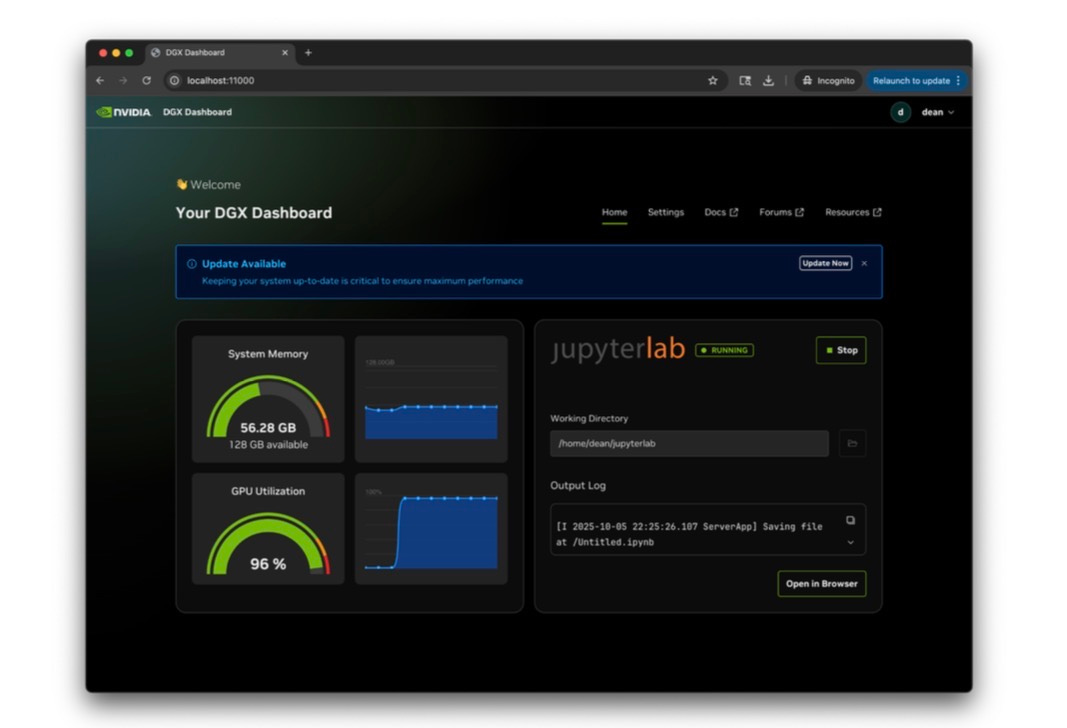
Another cool little piece of software that comes preinstalled in DGX OS is the GUI Dashboard. It can be used to monitor the system resources (primarily memory and GPU utilization), and to launch Jupyter lab.
Examples, Use Cases, and Playbooks
The good folks at Nvidia have provided us with many very cool and easy-to-navigate examples of how to get started with Spark, and most of them can be found here. I’ve played with many of them, and generally found them compelling and impressive. Nonetheless, in the relatively short time I’ve had my Spark, it was not possible to go into too much depth with any of them. I expect to really put Spark to paces in the upcoming months and weeks, and will have more to say about how it performs then.
ComfyUI
“ComfyUI is an open source, node-based program that allows users to generate images from a series of text prompts. It uses free diffusion models such as Stable Diffusion as the base model for its image capabilities combined with other tools such as ControlNet and LCM Low-rank adaptation with each tool being represented by a node in the program.”
I played with ComfyUI and Flux in GUI. It was able to create many whacky images based on prompts, although a few out-of-distribution prompts that I used returned pretty nonsensical outputs. The SOTA image/video apps have become incredibly realistic and impressive, so all the previous models seem pretty dated now. Nonetheless, it is really cool to be able to generate essentially an unlimited amount of GenAI content locally on your own machine.
Open WebUI with Ollama
Ollama has become the go-to app for playing with LLMs locally, and WebUI is a very well designed and implemented interface to run those chats on your machine. The WebUI setup on Spark was pretty straightforward. I tested it with ChatGPT OSS 20b and 120b, and they both performed incredibly well. I still haven’t had a chance to do a direct quantified comparison with my MacBook Pro, but my first impression is that running these chatbots on the Spark was noticeably faster.
Fine tune with Pytorch
This is the example that I spent most of my time on. It was incredible to be able to fine tune relatively powerful LLMs on such a small hardware. The playbook comes with three LLM fine-tuning scripts - LoRA on Llama3-8B, qLoRA fine tuning of Llama3-70B, and the full fine-tuning on Llama3-3B. All of them were able to run in a relatively short period of time, from few minutes to a few hours max, depending on the training regime, model, and the dataset size.
RAPIDS and XGBoost
As of this writing there are no “official” examples of Rapids and XGBoost on the website, but they were all available in a docker container that I downloaded and ran. There were a few inconsistencies in terms of the GPU-vs-CPU speedup that I had encountered, but overall Rapids seems to be working on Spark. The speedup was the most noticeable with SVMs. (10X), but as of this writing I have not seen any major speedups with XGBoost. I’ll have to explore this matter more in the upcoming weeks.
Conclusion
DGX Spark is every local DS/ML/AI developer’s dream. It is a small computer that can reignite the local development verve that this community has been hankering for. It enables you to take a full advantage of Nvidia’s hardware and software in an extremely compelling compact form factor. For years now, whenever I would go on a long trip, I have been forced to lug along a hulking big Dell Inspiron laptop workstation with RTX 5000 in addition to my main work laptop. I can finally leave that beast at home, and bring along this amazing little supercomputer.
Excited to see what the DGX can really do and the form factor it has is crazy…, will you be posting more testing articles soon about it? @Bojan Tunguz